SUPPORT CENTER

Your cozy game space — without the guesswork.

Find answers about your library, focus sessions, sync, and Questroom Plus.

Browse guides

QUESTROOM BASICS

Quick guides

Everything you need to turn your backlog into your next win.

01

LIBRARY

Add a game to your shelf

  1. Open the Library room and tap Add Game.
  2. Find your game in the IGDB catalog and select it from the results.
  3. Choose a time-to-beat target, status, and cover style, then tap Add.

No time estimate? Set your own number of hours. You can later change the game details, status, favorite, and target time from its game card.

Questroom interior with a game library
02

FOCUS SESSIONS

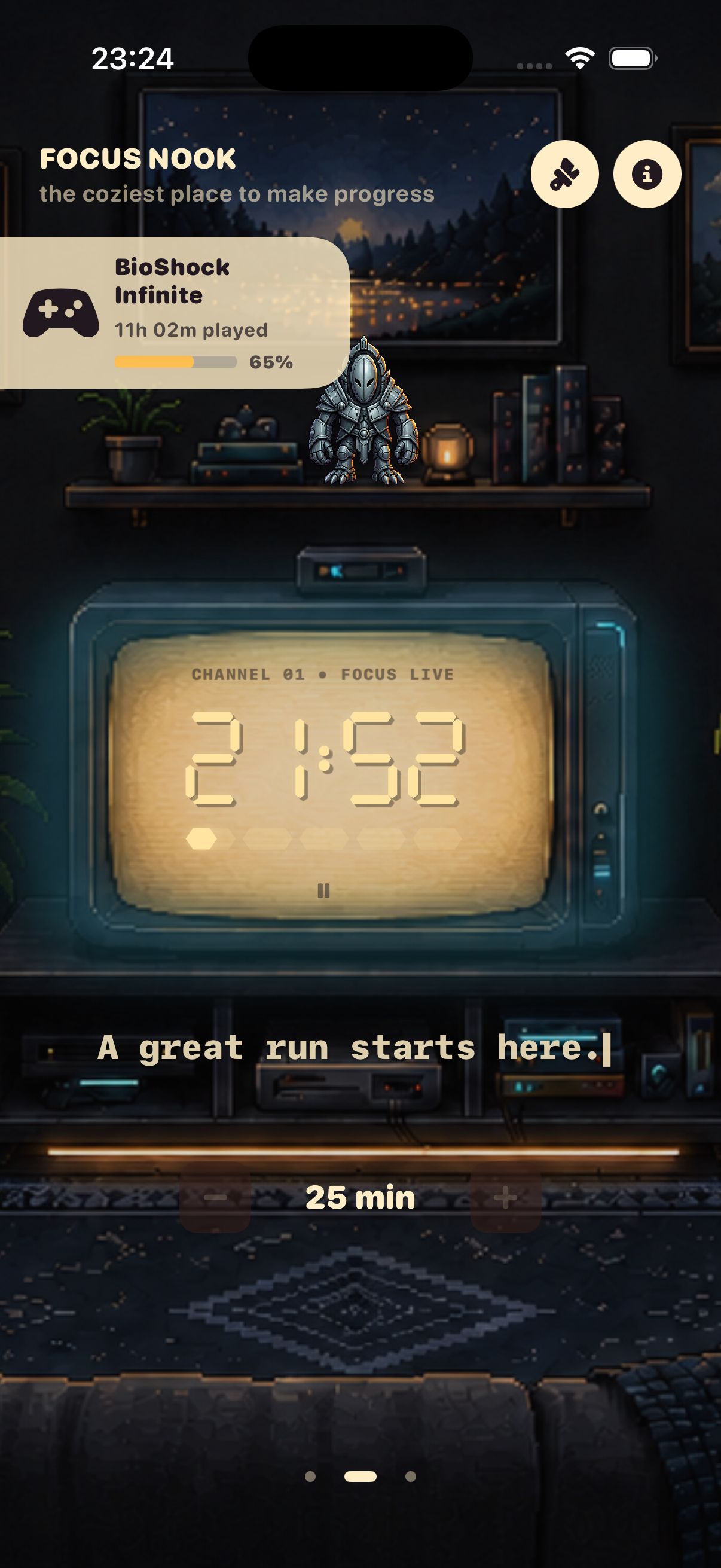
Let every session move you toward the finish

  1. Open the game details and tap Play.
  2. In the Focus room, choose a duration and start the timer.
  3. Questroom adds a completed session to the game’s Played Time.

The timer belongs to one game at a time. Its played time is compared with your chosen time-to-beat target, so progress is clear at a glance.

Questroom Focus Timer screen
03

ICLOUD

Pick up right where you left off

  1. Sign in with the same Apple Account on every device.
  2. Turn on iCloud and make sure the device can reach the internet.
  3. In Questroom, open Information → iCloud sync to check the connection.

Games, progress, favorites, shelf order, and game metadata sync. Your room appearance and display preferences stay on each individual device.

04

QUESTROOM PLUS

Unlock everything your room can be

The free plan lets you add up to 8 games. Questroom Plus unlocks an unlimited library, every room, pets, figurines, and shelf and cover styles.

To restore a purchase on a new device, open Questroom Plus and tap Restore. Use the same Apple Account that made the purchase.

ANSWERS

Frequently asked questions

Why can’t I add another game?

The free plan supports up to 8 games. To add more, open Questroom Plus and choose a plan with an unlimited library.

Catalog search isn’t returning results. What should I do?

Check your internet connection, enter at least two characters, and try another title. The catalog is powered by IGDB, so some games may not have complete data or a time-to-beat estimate.

How do I correct the time to beat or played time?

Open the game card in your library. In its details, you can change the target time, choose another completion option, and edit played time manually.

Does the timer keep running when the app isn’t open?

Yes. Questroom checks the active session against the current time when you return to the app, so a completed session is not lost.

My library hasn’t appeared on another device.

Make sure both devices use the same Apple Account, iCloud is enabled, and they have a network connection. Sync works in the background, so it can take a little time. Check the status in Information → iCloud sync.

How do I restore Questroom Plus?

Open the Questroom Plus screen in the app and tap Restore. You need to use the Apple Account that made the purchase.

STILL NEED HELP?

We’re here for you.

Describe the issue and include your Questroom version and device model — it helps us get back to you faster.

Email support